
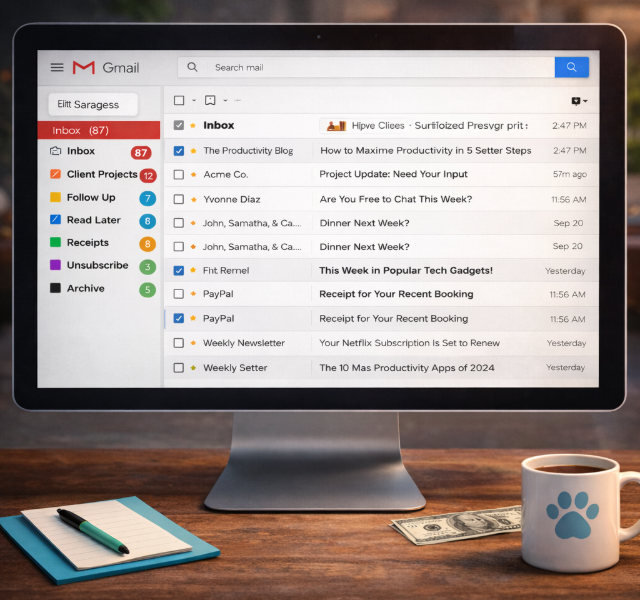
Inbox—Focus, Momentum, and Mental Space
For most of us, the inbox sits at the center of how work actually gets done — it’s where decisions start, projects move forward, and priorities take shape. Over time, it can quietly become cluttered without us realizing it. In this issue, I’m sharing a few simple ways to turn your inbox back into a system that clears the small tasks out of the way, so you can stay focused on the work that truly moves your business forward.
Most inboxes don’t start out messy. They start out useful — and slowly become the place where everything lands.
If your inbox feels more like a digital storage closet than a communication system, the real cost isn’t just minutes — it’s focus, momentum, and mental space. Important emails slip past. Follow-ups get buried. Decisions stall under a growing pile of “I’ll deal with this later.”
Your inbox was meant to move conversations forward, not quietly run your day in the background.
The good news? You don’t need a new app or a complicated setup to take it back. Whether you use Gmail or Outlook, a few simple folders, labels, and filters can turn an overwhelming inbox into an intentional one in about 10 minutes. The difference is immediate.
Why This Is Worth 10 Minutes a Day
A small system creates a noticeable shift in how your workday flows.
- Fewer distractions when you open your inbox
- Important messages stay visible
- Emails stop piling up
- Less mental energy spent deciding what to open, save, or ignore
Small setup. Real relief
How I Help Clients Clean Up Their Inbox
When I work with clients on their inbox, we start with the emails they actually use to run their business — not everything that happens to land there.
We look at things like:
- Client project updates and deliverables
- Invoicing and payments
- Meeting scheduling
- Business outreach and customer support
- Ordering supplies
From there, we create a simple structure using folders, labels and filters. Emails are automatically routed based on client names, keywords, or billing terms — the moment they arrive.
The result is a repeatable system, not a one-time cleanup. Over time, your inbox stays functional instead of slowly slipping back into clutter — making emails easier to find, easier to respond to, and easier to trust as part of your workflow.
Want the Exact Setup?
If you’d like step-by-step instructions for building this system in your own inbox, I’ve put together a simple reference guide for both platforms:
Inbox Clarity: A Practical Reference for Gmail & Outlook
👉 Click here to get the guide
Bingo’s Jr. VA Notes 🐾
Less digging, more doing. That’s my kind of inbox.